Administrative Guidance: Selecting & Managing closed-loop Campus Networks
July 9, 2026 in Cashless School & Campus
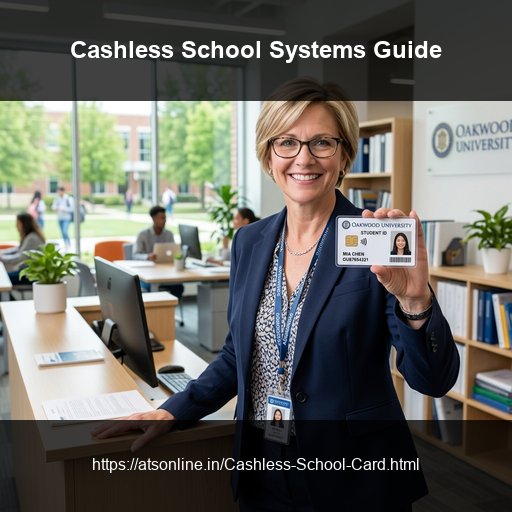
School administrations face complex operational challenges when handling physical cash transactions across campuses. Managing daily cash floats for canteens, counting coins at tuck shops, reconciliating paper ledgers, and addressing parent queries about lost allowance money consume administrative hours. Deploying a cashless smart card system resolves these issues at the structural level.
This guide provides school principals, administrators, and trustees with everything they need to know when evaluating and implementing a cashless campus payment system.
Core Administrative Features of Cashless Systems
A professional cashless school setup provides several structural advantages:
1. Centralized Financial Management
All transactions made at the canteen, bookstore, library, or tuck shop are synced instantly to a central administrative dashboard. Administrators can view total daily collections, track individual counter sales, and manage vendor revenue-share settlements without counting a single coin.
2. Multi-Purpose Student Smart Cards
A single passive RFID smart card functions as the student's identity card, library card, gate attendance pass, and prepaid cashless wallet, reducing card printing costs and simplifying database integrations.
3. Integrated Parent App and Portal
Recharge operations are shifted entirely to parents. Through a secure portal or mobile app, parents recharge card balances online, monitor purchase histories, set daily spending limits, and flag dietary restrictions.
4. Hybrid Local-Sync System Architecture
Because school canteens serve hundreds of students within compressed 15-minute recess breaks, payment transactions cannot depend on internet stability. A robust local database sync engine enables terminals to process payments offline in under 1 second, syncing transactions once the network returns.
Evaluation Checklist for School Administrators
When selecting a cashless campus vendor, administrators should verify five key technical elements:
- Offline Processing Capability: Does the POS system support offline tap-to-pay checkouts during network outages?
- Card Material Grade: Are the RFID PVC cards of premium thickness (0.76mm to 0.8mm) to withstand playground wear and tear?
- Dietary Restriction Triggers: Does the canteen POS terminal flag allergy warnings to cashiers automatically?
- Payment Gateway Integrations: Does the parent portal support instant recharges via UPI, credit cards, debit cards, and net banking?
- Detailed Audit Trail Logs: Does the central panel provide exportable financial reports for school accounts and auditing?
Cash vs. Prepaid RFID Campus Systems
| Feature | Cash / Paper Tokens | Closed-Loop RFID Smart Cards |
|---|---|---|
| Transaction Duration | Slow (30 - 45 seconds per student) | Instant (Under 1 second tap-to-pay) |
| Cash Handling Risk | High (Bookkeeping errors, cashier theft) | Zero (Immutable cloud audit records) |
| Canteen Queue Sizes | Long and congested recess lines | Fast-moving, high-throughput queues |
| Hygiene Standard | Low (Staff touch currency and food) | High (Contactless payment, zero cash touch) |
| Parent Transaction Insight | None (Allowance spends are untracked) | Real-time (SMS alerts & portal logs) |
| Allergy Alerts | None (Canteen staff cannot verify allergies) | Proactive (POS screen triggers allergy warnings) |
| Card Durability | Low (Barcodes scratch easily) | High (Embedded chip is protected inside PVC) |
Frequently Asked Questions
What is the average timeframe for a cashless campus deployment?
A complete campus implementation — covering database mapping, parent portal configuration, RFID smart card printing, POS terminal setup, and operator training — typically takes 2 to 3 weeks. Contact ATS Online for a customized setup timeline.
Can staff and teachers use the same card system?
Yes. The cashless platform supports staff and teacher accounts configured with separate permissions. Teachers can use their cards to access staff rooms, checkout library books, and pay at canteen counters.
How do parents add money to the prepaid card?
Parents recharge the smart cards online through the secure parent application using UPI, debit/credit cards, or net banking, crediting the student's prepaid balance instantly.
Is the data on the student card encrypted?
Yes. Passive RFID student cards use secure microchip technology with encrypted sectors. No personal data, banking details, or academic records are stored on the card; the chip only contains a secure ID code that maps to the school's private database.
What happens if a student loses their card?
The student or parent can block the card instantly via the mobile app or school helpdesk. Since the prepaid balance resides in the secure cloud database, the funds remain safe and can be linked to a new replacement card in under 5 minutes.
Does the system support multiple independent canteen vendors?
Yes. The administrative portal allows setup of multiple vendor profiles. The software tracks sales for each counter separately, automating settlements and revenue splits for canteen contractors.
Transition Your Campus to a Cashless System Today
Advance Technology Systems (ATS Online) provides end-to-end cashless school card systems across India — assisting administrators with software setup, card printing, terminal supply, and parent onboarding.
Or call us directly at: +91-9810078010
Conclusion
By implementing a secure, closed-loop RFID campus card POS system, schools and universities protect their revenue, optimize break-time efficiency, and build a modern, high-hygiene food service environment that parents trust.
Switch to cashless school canteen cards and secure your cafeteria operations. Visit www.atsonline.in, call us at +91-9810078010, or email ats.fnb@gmail.com to explore our school POS solutions.