Contactless Implementation: Constructing an RFID Prepaid Campus Network
July 9, 2026 in Cashless School & Campus
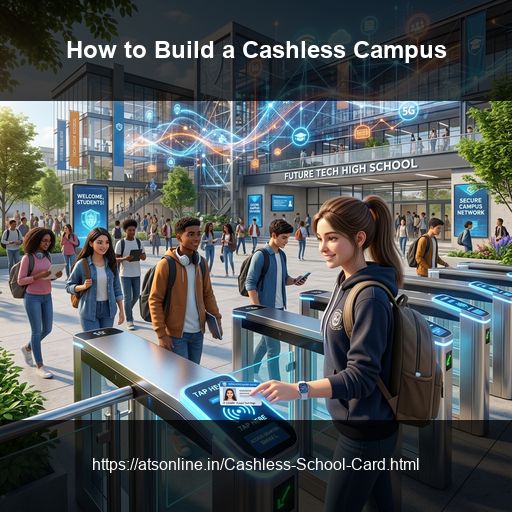
Transitioning a school or university campus to a cashless ecosystem requires a clear implementation plan. A successful rollout ensures high transaction speeds at canteens, automated logs at security gates, and a reliable payment gateway for parent recharges. RFID (Radio Frequency Identification) smart cards provide the ideal infrastructure for this transition, offering high durability and secure contactless tap-to-pay processing.
This guide provides a step-by-step checklist for school administrators and IT departments to build a fully cashless campus using RFID technology.
Steps to Implement a Cashless RFID Campus
Deploying a cashless campus involves five key developmental and operational phases:
1. Database Integration and Profile Mapping
The foundation of a cashless network is the student database. - Establish secure digital profiles for each student and staff member in a centralized database. - Map student IDs to unique, encrypted sectors on their assigned passive RFID cards. - Synchronize student records with class details, blood groups, and parent contact details to configure real-time SMS alerts.
2. POS Terminal Setup at Campus Counters
Install hardware terminals at all school commercial touchpoints. - Set up contactless POS readers at canteens, tuck shops, bookstores, and library desks. - Connect terminals to the school's local area network (LAN) and configure the local database sync engine. - Simplify terminal menu categories, placing popular canteen items on the primary POS touch screen for single-tap checkouts.
3. Parent Onboarding and Gateway Configuration
Configure the parent application and payment channels. - Launch a secure, mobile-friendly web portal or parent application. - Integrate an online payment gateway supporting UPI, debit cards, and net banking to handle deposits. - Onboard parents by distributing user manuals, account credentials, and setting up deactivation protocols for lost cards.
4. Gate Security and Turnstile Setup
Integrate campus access control systems. - Install short-range RFID reader posts at school entry turnstiles. - Set up automated gate logs that trigger parent notification SMS messages upon student arrival. - Sync gate logs with the central attendance database to eliminate manual roll calls.
5. Operator Training and System Dry Runs
Verify the system before full-scale activation. - Conduct hands-on training sessions with canteen cashiers, bookstore managers, and library operators. - Run dry-test transactions using test student cards to check checkout throughput speeds and sync engines. - Test offline processing modes to verify canteen billing capability during simulated network outages.
Cashless Campus Setup: Key Milestones
| Setup Phase | Key Objective | Technical Requirement |
|---|---|---|
| Phase 1: DB Sync | Map student profiles | Secure cloud database sync |
| Phase 2: Hardware | Install POS terminals | Counter RFID readers & local sync engine |
| Phase 3: Parent App | Configure gateway recharges | UPI & card payment gateway integration |
| Phase 4: Security | Mount entry gate turnstiles | short-range entry gate reader posts |
| Phase 5: Dry Run | Verify cashier throughput | Simulated offline and load testing |
Frequently Asked Questions
How long does a standard cashless campus implementation take?
A typical school campus implementation — from database mapping and parent portal setup to card printing, POS installation, and operator training — takes between 2 to 3 weeks. Contact ATS Online for a detailed setup schedule tailored to your campus.
Can parents set limits on different types of spending?
Yes. Through the parent portal, parents can allocate funds to separate category wallets (e.g., canteen, books, uniforms) or configure daily spending limits (e.g., maximum ₹150 per day) to encourage budget planning.
What is the advantage of using RFID over QR code payments in schools?
RFID smart cards are highly durable, do not require students to carry smartphones, and can process transactions in under 1 second without a live internet connection. QR code scanning requires active smartphones, camera alignment, and stable mobile networks, making them slower and less secure for school recess crowds.
How do we handle refunds for graduating students?
Administrators can process mass or individual refunds through the central management portal. Once a student's card is deactivated at graduation, the remaining prepaid balance can be refunded to the parent's registered bank account.
Can the cashless school card be used as an identity card?
Yes. The PVC smart cards support high-resolution thermal printing. The front of the card features the school logo, student photo, name, class, and roll number, serving as both a secure ID card and a cashless prepaid card.
What is the replacement protocol for a lost card?
If a card is lost, parents can freeze it instantly via the mobile app. Canteen and gate security readers will block the card immediately if tapped. The school IT desk can print a replacement card and link it to the student's existing database account in under 5 minutes.
Ready to Build a Cashless RFID Campus?
Advance Technology Systems (ATS Online) provides end-to-end RFID cashless campus systems across India — managing software setup, card printing, terminal supply, and training.
Or call us directly at: +91-9810078010
Conclusion
By implementing a secure, closed-loop RFID campus card POS system, schools and universities protect their revenue, optimize break-time efficiency, and build a modern, high-hygiene food service environment that parents trust.
Switch to cashless school canteen cards and secure your cafeteria operations. Visit www.atsonline.in, call us at +91-9810078010, or email ats.fnb@gmail.com to explore our school POS solutions.