Frictionless Checkouts: Retaining Brand Equity and Eliminating Redirect Surcharges
June 28, 2026 in Event Ticketing Solutions
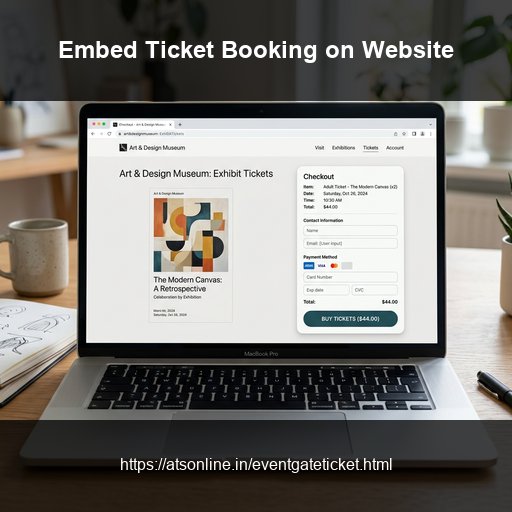
Most event ticketing platforms follow the same pattern: you create your event, and when an attendee clicks "Buy Tickets," they are redirected away from your website to the ticketing platform's own domain. The checkout happens on the platform's branded page. Your audience — people who came to your website because they trust your brand — are completing their purchase in someone else's environment. For many organizers this is acceptable. For others — venue operators with strong brand identities, annual events with loyal returning audiences, or event companies whose website is their primary marketing asset — this redirect is a real problem. It breaks trust, reduces conversion, and hands the customer relationship to the ticketing platform rather than the organizer. Embedding a ticket booking widget on your own website solves this entirely. Attendees discover, browse, and complete their ticket purchase without ever leaving your domain. The checkout experience carries your branding. The data comes back to you.
What Is an Embeddable Ticket Widget?
A ticket booking widget is a small block of HTML iframe code that you paste into any page on your website. When a visitor loads that page, the widget renders a live ticket checkout interface inline. Attendees select their ticket type, enter details, and complete payment through your connected gateway without the browser URL ever changing.
When Does Embedding Make Sense?
- You have an established brand website: Keep buyers in your brand ecosystem.
- You drive your own marketing traffic: If you promote via email or Instagram, there is no need to send users to a marketplace.
- You want full analytics control: Track the entire attendee purchase journey from page land to conversion.
- You run a multi-event hub: Embed distinct widgets across different event pages on a single domain.
How to Embed the EventGateTicket Widget
Step 1: Create Your Event
Register on EventGateTicket by ATS Online and create your event listings. Connect Razorpay, PayU, or Stripe gateways.
Step 2: Copy the HTML Embed Code
Find the iframe code snippet in your event dashboard under "Embed on Website."
Step 3: Paste the Code in Your CMS
- WordPress: Use a "Custom HTML" block or Gutenberg HTML element.
- Wix: Insert an "Embed HTML" block and paste the code.
- Squarespace / Webflow: Use a standard "Code" or "Embed" block.
- Custom HTML: Paste directly into the `` of the page.
Step 4: Test responsiveness
Confirm the widget adjusts width proportionally (`width="100%"`) and works smoothly on standard mobile screens.
Conversion Optimization Tips
- Positioning: Embed the widget above the fold or immediately below a short, bulleted highlight list.
- Clear Price Display: EventGateTicket does not add buyer-facing convenience surcharges. Remind buyers: "No hidden booking fees. What you see is what you pay."
- Reduce Distractions: Keep the booking page clean. Minimize sidebars, newsletter popups, or external social links on the checkout page.
Frequently Asked Questions
Does the embed widget work on any website platform?
Yes. The embed is a standard HTML iframe, which is supported by every major website builder and CMS including WordPress, Wix, Squarespace, Webflow, Shopify, and custom HTML sites.
Will the widget slow down my website's load time?
The iframe loads asynchronously and does not block the rest of your page from rendering. Page load time impact is minimal — comparable to embedding a YouTube video.
Can I customise the appearance of the widget to match my website's colours and fonts?
The widget renders EventGateTicket's standard checkout UI within the iframe. Full visual customisation (matching your exact brand colours and typography) is available in the Enterprise configuration. Contact ATS Online for enterprise embed customisation options.
What happens if a buyer's payment fails partway through checkout?
Failed payments do not generate tickets or consume credits. The buyer can retry the payment immediately within the widget. No action is required from the organizer.
Does the embed work for free events where no payment is required?
Yes. For ₹0 ticket tiers, the widget collects attendee details and generates a QR ticket without a payment step. This is the standard flow for free event registration with gate tracking.
Can I track conversions from the embedded widget in Google Analytics?
Yes, with standard event tracking configured on your website. Since the widget is embedded on your domain, your analytics script sees the full session including the checkout. Contact your web developer to configure specific conversion goal tracking for ticket purchase completions.
Conclusion
Retain full control of your checkout conversions. Embedding your ticket booking widget on your own domain builds trust, simplifies tracking, and provides a premium buyer journey.
Paste checkout widgets directly onto your WordPress or Webflow site. Visit www.atsonline.in, call us at +91-9810078010, or email ats.fnb@gmail.com to explore EventGateTicket.