Complete Authority Guide: Digital QR Ticketing
June 28, 2026 in Event Ticketing Solutions
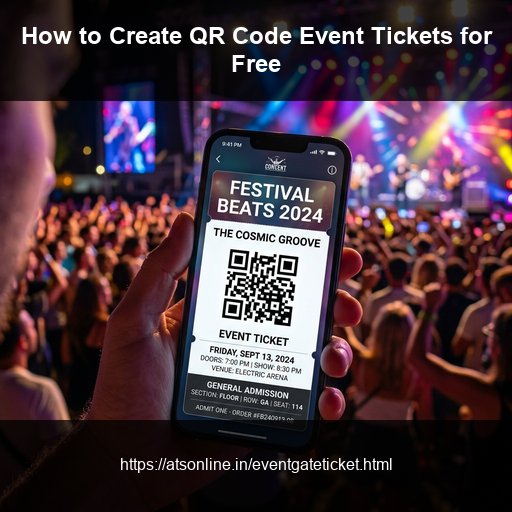
You've locked in the venue. The performers are confirmed. Social media buzz is building. But there's still one critical piece missing — a fast, professional way to issue tickets and control who walks through the door. Traditional methods meant paying third-party ticketing platforms a major percentage cut on every single sale. The new way? Generate secure, scannable QR code tickets yourself — for free — and keep 100% of what your attendees pay. In this guide, we'll walk you through exactly how to create QR code event tickets online, step by step, with zero technical expertise required.
What Is a QR Code Event Ticket?
A QR code event ticket is a digital (or printable) ticket that contains a unique, machine-readable barcode. When an attendee arrives at your event, a gate staff member scans that code using a smartphone camera to instantly verify authenticity and check the guest in.
QR code tickets solve three core problems for event organizers:
- Counterfeiting: Every QR code is unique and can only be validated once, preventing fake duplication.
- Queues: Scanning takes under two seconds per attendee, keeping the entrance flow smooth.
- Manual errors: No messy clipboard check-ins, no duplicate entries, and no arguments at the gate.
Why Use a Free QR Code Ticket Generator?
Paid ticketing platforms charge anywhere from 2% to 10% per ticket sold, plus service fees. On a 500-ticket event at ₹500 per head, that's ₹12,500 to ₹25,000 gone before you've covered a single cost. A free QR code ticket generator like EventGateTicket by ATS Online lets you:
- Create professionally designed tickets with embedded QR codes.
- Send tickets directly to attendees via email instantly.
- Validate entries at the gate using any standard smartphone browser — no dedicated scanner hardware or app download needed.
- Start with 10 free ticket credits the moment you register.
Get Started Instantly with Free Credits
There's no credit card required to sign up. Register your organizer account and receive 10 complimentary ticket credits immediately to run a trial, test the scanner, or host a small gathering.
Step-by-Step: How to Create QR Code Event Tickets
Step 1: Create Your Event Organizer Account
Go to EventGateTicket and register as an event organizer. Sign-up takes under two minutes. As soon as your account is active, you'll receive 10 complimentary ticket credits automatically — enough to run a test event or a small private gathering immediately.
Step 2: Set Up Your Event
Once inside your dashboard, click Create Event and fill in details such as event name, date, time, venue, description, and banner image. You can specify ticket types (e.g., General Admission, VIP, Early Bird), set ticket quantities, and define pricing per tier. You can also create ₹0 complimentary passes — these still generate unique QR codes for secure gate control.
Step 3: Publish Your Public Booking Page
EventGateTicket automatically generates a search-engine-indexed public event booking page for your listing. This page is shareable directly across WhatsApp, Instagram, LinkedIn, and email — or you can embed the booking widget directly into your own website using a simple HTML snippet. Attendees select their ticket type, complete payment through your own connected gateway (Razorpay, PayU, Stripe, etc.), and receive their QR code ticket by email instantly.
Step 4: Distribute Tickets to Attendees
Once an attendee completes their booking, the system deducts one credit from your balance per ticket generated, emails a professional ticket PDF with a unique QR code to the attendee, and logs the attendee in your dashboard with their check-in status set to "pending". You can export the attendee list as a CSV at any point.
Step 5: Scan and Validate at the Gate
On event day, your gate staff open any modern browser on any Android or iOS smartphone and navigate to your scanner URL. No app installation is needed. Hold the phone camera up to the QR code. The system validates it in under two seconds — showing a green "Valid" confirmation or a red "Already Scanned / Invalid" alert. This prevents duplicate entries and eliminates fraudulent paper copies.
How to Set Up Multiple Ticket Tiers
One of the most powerful features of a QR code ticket generator is the ability to run different access levels within a single event. Here's how to structure common setups:
| Ticket Tier | Price | Quantity | Use Case |
|---|---|---|---|
| Early Bird | ₹299 | 100 | First-batch sales incentive |
| General Admission | ₹499 | 400 | Standard entry |
| VIP / Premium | ₹999 | 50 | Priority access or F&B inclusion |
| Complimentary | ₹0 | 20 | Guest list, press, speakers |
Embedding Ticket Sales on Your Own Website
If you already have an event website or a promotional landing page, you don't need to redirect attendees away from your domain. EventGateTicket provides an HTML embed widget that you paste into your site — attendees complete the entire booking without leaving your page. This is particularly useful for annual events with existing brand websites, clubs and venues with their own booking infrastructure, and organizers who want to maintain their own brand through checkout.
What Happens If the Internet Goes Down at the Gate?
For large events in venues where connectivity is unreliable — outdoor festivals, stadium events, remote locations — offline scanning nodes are available on request. Ticket data syncs locally to allow validation even during complete connectivity blackouts, then reconciles with the cloud when the connection is restored.
How Many Credits Do You Need?
EventGateTicket works on a pay-per-credit model. One credit equals one ticket generated. There are no monthly fees and no percentage commissions on your ticket sales.
| Pack | Credits | Rate |
|---|---|---|
| Starter | 300 | ₹9 / credit |
| Standard | 500 | ₹8 / credit |
| Pro Value | 1,000 | ₹7 / credit |
| Enterprise | 2,500 | ₹6 / credit |
*GST is charged extra on all packs. New accounts start with 10 free credits.
Frequently Asked Questions
Do I need to buy a barcode scanner to use QR code tickets?
No. Your gate staff can scan using the browser camera on any Android or iOS smartphone. No dedicated hardware or app download is required.
Can I use QR code tickets for a free event?
Yes. Set your ticket price to ₹0 for any tier. These generate unique QR codes and are checked in at the gate exactly like paid tickets. Credits are still consumed per ticket generated.
How quickly do attendees receive their tickets?
Ticket emails are delivered instantly upon successful payment or registration confirmation.
Can I use my own payment gateway?
Yes. EventGateTicket connects to Razorpay, PayU, Stripe, and other major gateways. Payouts go directly to your bank account — the platform takes zero commission.
What if an attendee loses their ticket?
You can resend the ticket from the organizer dashboard. The QR code remains the same, so there's no duplicate check-in risk.
Conclusion
Creating QR code event tickets no longer requires expensive software, a dedicated ticketing company, or technical expertise. With a free QR code ticket generator like EventGateTicket, you can have a professional booking page live, tickets in attendees' inboxes, and gate scanning ready — in under 30 minutes. Start with your 10 free credits and see exactly how the system works before committing to a credit pack.
Ensure secure, rapid gate check-ins and keep 100% of your event ticket sales. Visit www.atsonline.in, call us at +91-9810078010, or email ats.fnb@gmail.com to explore EventGateTicket.