Professional B2B Registrations: Setting Custom Fields & Invoices
June 28, 2026 in Event Ticketing Solutions
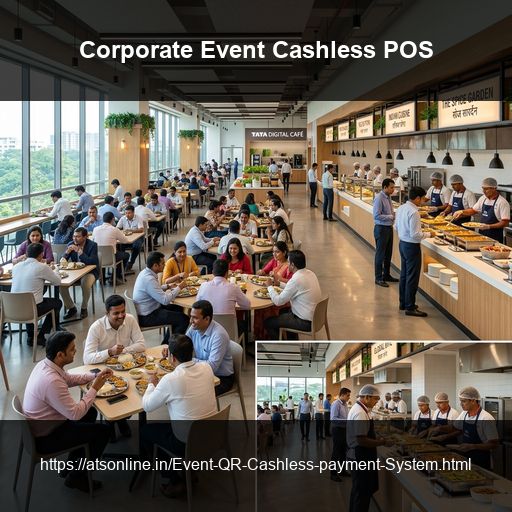
Corporate events operate under a different set of pressures than consumer events. Attendees expect a professional, frictionless experience. Stakeholders expect accurate headcount data and proper documentation. Budget owners expect every rupee accounted for. And in many cases, the event itself — a product launch, an annual conference, a leadership summit — is a direct reflection of the company's brand. Yet many corporate event teams still manage registration through spreadsheets, handle entry with printed guest lists, and produce post-event attendance reports manually from a mix of sources. This guide covers how to run corporate event registration and attendee check-in properly — using QR code ticketing to eliminate manual processes, provide real-time visibility, and generate the accurate data that corporate stakeholders actually need.
What Corporate Event Ticketing Needs to Do That Consumer Ticketing Doesn't
- Structured attendee data collection: B2B registrations require custom fields like designation, company, department, and session selections.
- Tiered access by role: Events need separate ticket rules for speakers, delegates, VIPs, press, and organizers.
- GST-compliant invoicing: Delegates need automated B2B tax invoices displaying company GST numbers for expense reimbursements.
- Post-event stakeholder reporting: Corporate sponsors and leadership require verified arrival numbers, session popularity, and no-show stats.
Designing Your Corporate Event Registration Structure
Organizers should define a ticket structure to manage different access permissions. Establish specific tiers for delegates, VIPs, internal employees, media representatives, and panel speakers in your system.
| Attendee Type | Access Level | Price Model |
|---|---|---|
| Delegate / External | Full conference access | Paid / Sponsored |
| VIP / CXO Guest | All sessions + VIP lounge | Complimentary |
| Internal Employee | Full access | Free (Internal) |
| Speaker / Panelist | Full access + speaker lounge | Complimentary |
| Press / Media | All sessions + press area | Complimentary |
Setting Up Corporate Event Registration on EventGateTicket
Step 1: Account and Event Setup
Register on EventGateTicket by ATS Online. Connect your payment gateway (Razorpay/PayU for INR payments or Stripe for international delegate sales). For internal company events, set ticket prices to ₹0.
Step 2: Configure Custom Registration Fields
Configure custom ticketing fields in the dashboard to collect designation, company name, company GSTIN, department, and dietary preferences.
Step 3: Set Up Ticket Tiers
Create each attendee category as a separate ticket tier with appropriate quantity limits to manage venue capacities.
Step 4: Create the Registration Page
You can choose between an open public registration page or an invite-only setup where specific tier URLs are distributed privately.
Step 5: Automate Ticket Delivery
Registrants automatically receive professional ticket confirmation emails containing their unique QR codes, venue locations, and billing invoices.
Running Check-In at a Corporate Event
Set up registration desks with tablets or smartphones with the scanner URL open. The scan confirmation displays the custom fields collected, allowing your desk staff to welcome attendees by name and company. Walk-in registrations can be processed on tablets in under 90 seconds, and secondary gates can enforce access limits for VIP or speaker zones.
Post-Event Reporting for Corporate Stakeholders
Export the comprehensive attendee CSV report. It provides finance with billing data, marketing with attendee profiles, operations with peak check-in timestamps, and leadership with verified headcount metrics.
Frequently Asked Questions
Can we brand the registration page and ticket email with our company logo?
Yes. Your event page and ticket emails carry your event name and banner image. For additional custom branding requirements, contact ATS Online for enterprise configuration options.
What if a delegate's company pays for multiple registrations as a block?
One person can register multiple attendees under a single payment. Each attendee receives their own unique QR ticket by email. The organizer dashboard shows all registrations linked to the original booking.
Can we restrict registration to specific email domains (e.g., only company email addresses)?
This is available through invite-only registration link distribution — only share the registration URL with verified recipients. For automated domain-based restriction, contact ATS Online for custom configuration.
How do we handle last-minute speaker or VIP additions?
New registrations can be added from the organizer dashboard at any time before or during the event. The ticket is generated and the email is sent instantly.
Is there a limit on the number of custom fields per ticket tier?
Custom ticket fields are available in the Pro Value and Enterprise packs. Contact ATS Online directly for specific field count requirements for large enterprise events.
Conclusion
Corporate events deserve professional ticketing structures. Decouple yourself from paper guest lists and manual spreadsheets. QR code registrations with custom fields, real-time check-in logs, and automatic B2B GST invoicing keep your operations organized and your data precise.
Deploy a professional check-in system for your next corporate conference. Visit www.atsonline.in, call us at +91-9810078010, or email ats.fnb@gmail.com to explore EventGateTicket.