Student Committee Operations: Deploying Campus QR Check-Ins
June 28, 2026 in Event Ticketing Solutions
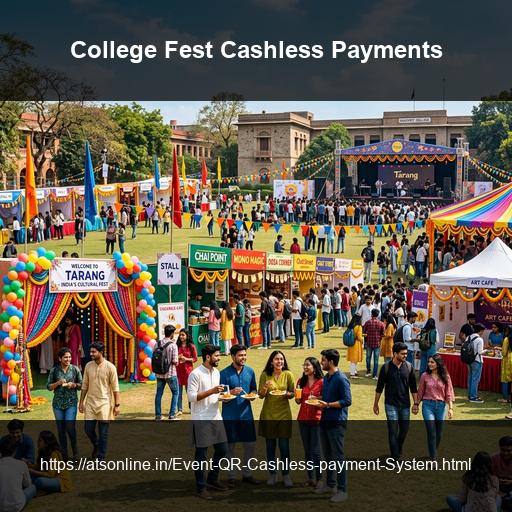
College fests in India are among the most logistically complex events that student organizers ever manage — multiple stages, parallel sessions, celebrity performers, thousands of attendees across two or three days, sponsors to satisfy, and a committee that changes every year. And yet, most college fests still rely on the most fragile ticketing setups imaginable: cash at the gate, Google Forms for registration, WhatsApp for ticket distribution, and a clipboard at the door. The problems are predictable: counterfeit tickets, long queues, gate crashes, and no real attendee database. Online ticketing with QR code scanning solves all of this. Here is the full guide.
Why College Fests Need Proper Ticketing Infrastructure
- Revenue leakage: Cash-based entry lacks a digital audit trail and leads to accounting reconciliation issues.
- Gate chaos: Manual list check-ins back up quickly. Scanning a QR code takes less than two seconds.
- No attendee data: Sponsors increasingly request metrics on attendee counts, locations, and demographics.
- Counterfeiting: Standard paper tickets can be printed or copied. Unique QR codes prevent duplication.
Planning Your College Fest Ticketing Structure
Organizers should define a ticket structure to manage different zones. Common setups include Day Passes, Full Fest Passes, Pro Night Passes (for headline musical acts), Workshop Passes, and free Internal Student Passes or VIP guest list entries.
| Ticket Type | Use Case | Suggested Price Model |
|---|---|---|
| Day Pass | Access to all day-specific events | Paid |
| Full Fest Pass | Both days, best value | Paid (Discounted) |
| Pro Night Pass | Evening headline concert only | Paid (Premium) |
| Internal Student Pass | Your own college students | Free (₹0 tier) |
| VIP / Sponsor Pass | Invited guests, judges, sponsors | Complimentary (₹0 tier) |
Step-by-Step Setup: Online Ticketing for a College Fest
Step 1: Register on EventGateTicket (Free to Start)
Register an organizer account on EventGateTicket by ATS Online. You receive 10 free ticket credits immediately to run a trial.
Step 2: Connect a Payment Gateway
Connect a Razorpay or PayU account to collect payments for external attendees. Set this up at least one week before tickets go on sale to allow for gateway KYC verification.
Step 3: Create Your Fest Event
Fill in details, upload your poster banner, write the schedule, and set up each ticket tier with strict quantity caps to prevent venue overcrowding.
Step 4: Publish and Share the Booking Page
Share your booking URL across your college's Instagram handles, WhatsApp groups, and student union newsletters. You can also embed the checkout widget directly onto your fest website.
Step 5: Issue Internal Passes
Share a private registration URL for the ₹0 Internal Pass, or bulk-import your student database to send tickets with unique scannable QR codes automatically.
Step 6: Brief Your Gate Team
Assign student volunteers to gates. Volunteers log in to the browser-based scanner URL on their own phones (no app installation needed) and scan tickets as attendees arrive.
Step 7: Run the Event and Monitor Check-ins
Track check-in statistics in real time. If queues spike at one entrance, open another scanning station instantly by sharing the scanner URL with another volunteer.
Step 8: Export Attendee Data Post-Event
Export your attendee list as a CSV file to share check-in timestamps and verified counts with sponsors and college administration.
How Many Credits Does a College Fest Need?
Credits are consumed per ticket generated. Here is a general sizing breakdown:
- Small Fest (under 500 attendees): Standard Pack (500 credits, ₹4,000)
- Mid-size Fest (500–1,000 attendees): Pro Value Pack (1,000 credits, ₹7,000)
- Large Fest (1,000–2,500 attendees): Enterprise Pack (2,500 credits, ₹15,000)
Frequently Asked Questions
Can a student organizer with no prior experience set this up?
Yes. The setup is self-serve and takes under 30 minutes for a standard event. The 10 free trial credits let you test the entire flow — ticket creation, email delivery, QR scanning — before your event goes live.
What if an attendee doesn't have a smartphone to show the QR code?
Attendees can print their ticket and present the printed QR code — the scanner reads it the same way. This covers attendees who prefer a physical ticket.
Can we accept UPI payments through the ticketing page?
Yes, through your Razorpay or PayU integration. Both gateways support UPI, which is the most common payment method for the college-age demographic.
Is there a student or educational institution discount on credit packs?
Contact ATS Online directly at akash@atsonline.in to discuss pricing for educational institutions and non-commercial fests.
Can we use EventGateTicket for an online/virtual fest?
Yes — the ticket generation, payment, and attendee management features all work for virtual events. Gate scanning is specific to physical entry, but the registration and QR distribution system is platform-agnostic.
Conclusion
A college fest is a significant undertaking. Running gate entry from a clipboard and a cash box puts your event security and revenue at risk. Online ticketing with QR code scanning is inexpensive, eliminates gate chaos, and provides verifyable metrics for your sponsors and institution boards.
Streamline your upcoming college cultural fest with secure QR code ticketing. Visit www.atsonline.in, call us at +91-9810078010, or email ats.fnb@gmail.com to explore EventGateTicket.