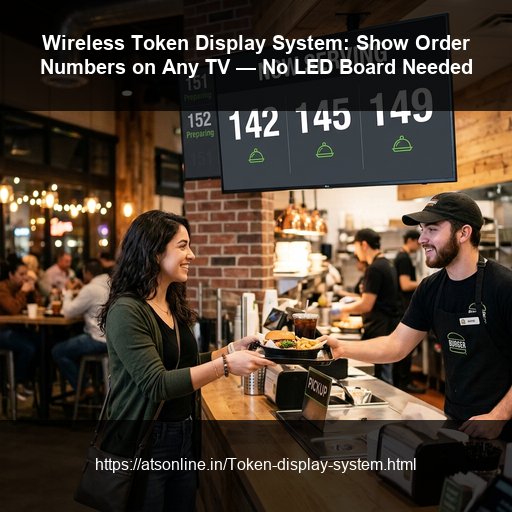
Crowded waiting areas and counter crowding are significant operational challenges for high-volume businesses. Whether you operate a quick-service restaurant, a busy hospital clinic, a shopping mall food court, or a bank branch, managing wait queues is crucial for customer satisfaction.
For years, businesses relied on red-character LED segment display boards wired to counter keypads. In 2026, these systems are outdated, expensive, and difficult to customize. Implementing a modern Token Number Display System running directly on standard Smart TVs offers a superior alternative. Here is a guide on how this system works and how to set it up.
1. The Limitations of Traditional LED Token Boards
Segmented LED boards have multiple limitations:
- Complex Hardware Wiring: Installing them requires laying data cables from counters to the ceiling-mounted screen, causing high installation and repair costs.
- No Visual Context: LED boards only show numbers (e.g., "104"). They cannot display stall names, VVIP zones, or counter numbers.
- Zero Digital Signage: You cannot use screen space to show menu slides, promotional posters, or video announcements.
- Rigid Setup: If you move a counter, you must re-lay cables and call technician support.
2. The TV-Based Wireless Display Solution
A wireless cloud-based token display shifts the queue layout to HTML5. The display screen connects to billing terminals via local Wi-Fi. Here is how simple it is:
- Smart TV Connection: You mount a standard Smart TV (or any TV with a cheap Android box or Firestick) on the wall.
- Access Screen URL: Open the TV's browser and log in to a secure display URL provided by the software.
- Tap to Alert: Canteen staff or receptionists process orders on their billing POS. Tapping "Order Ready" on an Android Restaurant POS wirelessly sends the number to the TV screen instantly.
For advanced industrial and corporate needs, check out the Wireless Data Display System to see how TVs handle complex production metrics.
3. Essential Software Features
When selecting a wireless queue display system for your business, ensure it supports:
A. Voice and Audio Alerts
Visual numbers are easily missed in noisy waiting rooms or food halls. The system must support text-to-speech voice announcements in multiple languages (e.g., calling out "Token Number 105, please collect from Counter 2") to secure patron attention.
B. Multi-Counter & Multi-Stall Consolidation
In a large cafeteria or medical clinic, a guest might have multiple tickets. The display screen must aggregate ready token alerts from various counters (e.g., showing Counter A, Counter B, and Counter C orders simultaneously). Look for systems that integrate with Food Court POS Software.
C. Co-existence with Digital Signage
Unlike LED boards, a TV screen has plenty of real estate. Choose software that lets you divide the display: 50% for ready token numbers, and 50% to play marketing videos, food photography, or health guides. This turns a queue monitor into a marketing engine.
4. Conclusion — Modernize Your Waiting Area Today
Replacing segmented LED boards with a Smart TV-based wireless token system is the most cost-effective decision you can make to streamline customer flow. It eliminates installation cabling, adds rich visual branding, and provides audio alerts to speed up order pickups and clear out counter crowd congestion.
Related Reading:
- How to Set Up Token Display System on TV
- Smart TV Token Display Setup Guide 2026
- Why Your Food Court Needs a Cloud-Based Token Display
- Token Display System Hospital vs LED
- LED Token Machine vs TV Display Cost Comparison
Ready to Modernize Your Waiting Screen?
Contact ATSonline to set up your wireless TV token display system in under 10 minutes.
📞 Call us at +91 9810078010
✉️ Email us at ats.fnb@gmail.com