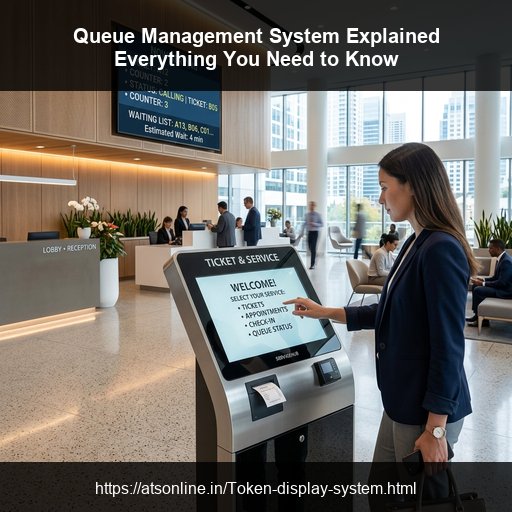
Lobbies and checkout counters are the face of your business. If customers encounter chaotic lines, arguments over turns, and slow service, your brand reputation suffers. A comprehensive Queue Management System (QMS) structures the flow of people, eliminating physical lines and replacing them with systematic token calling. This guide breaks down how a complete queue system operates and why it is a critical investment.
How a Queue Management System Works
A complete QMS structures the customer journey into three distinct phases:
Phase 1: Entry & Token Registration
When a customer arrives, they check in. This can happen in several ways:
- Self-Service Ticketing Kiosk: The customer selects their required service category on a touchscreen tablet and prints a paper token slip.
- Reception Check-In: A staff member registers the customer on a desktop terminal and issues a token.
- POS Billing Integration: In restaurants or canteens (see our guide on canteen management), placing an order on a cashier restaurant POS automatically generates a food preparation token on the customer receipt.
Phase 2: Organized Waiting
Instead of standing shoulder-to-shoulder in front of a service counter, customers wait in a comfortable seating lounge. High-definition Smart TVs mounted on the wall show the active queue numbers. As customers wait, they can watch promotional advertisements, menu displays, or entertainment channels shown on the same TV screen.
Phase 3: Counter-Level Calling
When a staff member is ready to serve the next customer, they click a "Next" button on their desktop or tablet calling dashboard. The main display TV plays a sound alert, visually flashes the called number, and points the customer to the specific counter (e.g., "Token #305 to Counter 3").
Evaluating the Business ROI of a QMS
Implementing a queue system is not just about aesthetics; it delivers hard financial returns:
- Reduces Customer Abandonment: Visible, organized queues reassure customers they won't be forgotten. This drastically reduces "walkaway" rates where customers leave the store out of frustration.
- Boosts Staff Productivity: By streamlining customer calling and eliminating arguments over turn sequences, counter staff can serve up to 30% more customers per hour.
- Increases Basket Sizes: In retail or QSR environments, when customers wait in an organized lounge rather than standing in a stressful checkout line, they are more relaxed and receptive to buying add-ons or upsells.
Cloud vs. Hardware Queue Systems
Historically, queue systems required expensive, proprietary hardware, physical calling keypads, and extensive wiring. Modern businesses are switching to SaaS cloud-based queue managers like ATSonline's MyTokenDisplay. By utilizing standard Smart TVs over Wi-Fi and browser-based staff dashboards, businesses can launch a complete queue system with zero dedicated hardware costs.
Frequently Asked Questions (FAQs)
Q1: What is a complete queue management system?
A complete queue management system handles the entire customer journey: ticketing at entry (self-service or reception), waiting area notifications (visual display and sound alerts), and counter-level calling interfaces for staff.
Q2: How does a queue management system improve business ROI?
It improves ROI by reducing walkaways (due to visible wait times), speeding up staff transaction rates, and providing management with analytics to optimize staff scheduling during peak hours.
Q3: Can queue systems integrate with existing POS billing software?
Yes, professional queue systems like ATSonline integrate directly with restaurant POS and canteen billing software. Generating a sales receipt automatically prints or issues a queue token number.