Mastering EPFO ECR Text Files: Formats, Slabs, and Automated Payroll Generation
2026-08-18 in Statutory Compliance & Payroll
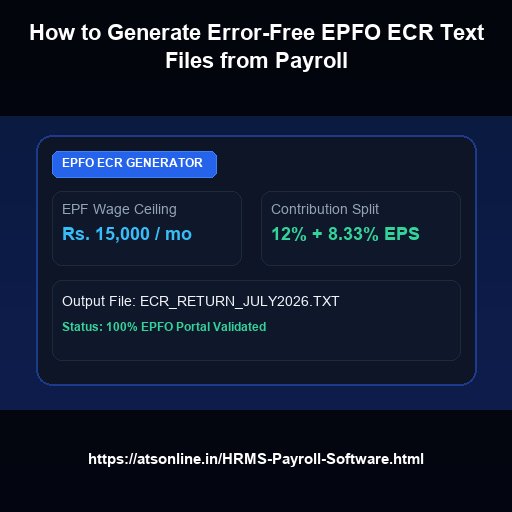
An EPFO Electronic Challan cum Return (ECR) text file is a standardized data file required by the Employees' Provident Fund Organisation (EPFO) for monthly statutory PF return filings. Modern Indian HRMS suites like HRMS108 automatically apply the ₹15,000 EPF wage ceiling cap, compute the 12% employee contribution and employer split (8.33% EPS / 3.67% EPF), and export pre-formatted, error-free #~# separated ECR text files ready for instant upload to the unified employer portal.
Understanding the EPFO ECR File Structure in Indian Payroll
For HR and accounts teams managing statutory compliance in India, generating the monthly Electronic Challan cum Return (ECR) text file is a critical task. The EPFO portal requires monthly contribution statements to follow a precise delimiter format (typically #~#) containing employee Universal Account Numbers (UAN), gross wages, EPF wages, EPS wages, EDLI wages, and split contribution amounts.
Manual compilation via spreadsheets frequently leads to fatal format rejection errors, UAN mismatches, wage ceiling calculation discrepancies, and costly filing delays. Utilizing automated statutory payroll software like HRMS108 eliminates these manual headaches by generating 100% compliant ECR text files with a single click.
Key EPF Contribution Slabs and Calculation Breakdown
Statutory PF calculations in India are governed by the Employees' Provident Funds and Miscellaneous Provisions Act, 1952. Here is the mandatory contribution architecture:
- Employee Contribution: Exactly 12% of EPF Wages (Basic Salary + Dearness Allowance).
- Employer Contribution Split:
- EPS (Employees' Pension Scheme): 8.33% of EPF wages (capped at a maximum wage ceiling of ₹15,000/month, which equals ₹1,250/month).
- EPF (Provident Fund): 3.67% (the remaining balance of the employer's 12% contribution).
- EDLI (Deposit Linked Insurance Scheme): 0.50% of EPF wages (capped at ₹15,000).
- EPF Administrative Charges: 0.50% (subject to statutory minimums).
EPF Contribution Breakdown Table (Monthly Salary ₹35,000)
| Component | Statutory Percentage | Capped Calculation Base | Monthly Amount (₹) |
|---|---|---|---|
| Employee EPF Share | 12% | ₹15,000 (Statutory Cap) | ₹1,800.00 |
| Employer EPS Share | 8.33% | ₹15,000 (Statutory Cap) | ₹1,250.00 |
| Employer EPF Share | 3.67% | ₹15,000 (Difference) | ₹550.00 |
| Employer EDLI | 0.50% | ₹15,000 (Statutory Cap) | ₹75.00 |
| EPF Admin Charges | 0.50% | ₹15,000 | ₹75.00 |
| Total Monthly Remittance | — | — | ₹3,750.00 |
Step-by-Step: How HRMS108 Automates EPFO ECR Exports
With HRMS108, producing your monthly EPFO ECR file takes under two minutes following the 3-stage payroll run:
- Stage 1 (Process Draft): Attendance LOP and shift records automatically calculate basic wages and statutory PF eligibility.
- Stage 2 (Pre-Flight Audit): The system verifies active UANs, PAN validation, and zero-wage exceptions.
- Stage 3 (Lock & Export): Once approved, download the standardized
.txtfile directly formatted with standard EPFO header specifications ready to upload on the EPFO Unified Portal.
Frequently Asked Questions
What is the statutory wage ceiling for EPF calculation in India?
The statutory wage ceiling for EPF contributions is ₹15,000 per month. Mandatory contributions are calculated on Basic + DA up to this ceiling, unless the employer has opted for voluntary higher PF contributions.
How does HRMS108 handle new joinees without a UAN?
HRMS108 alerts payroll administrators during the pre-flight review audit stage if a new employee profile lacks an active UAN, preventing submission errors on the EPFO portal.
Can I generate EPF ECR files for multiple branches under different PF codes?
Yes. HRMS108 supports multi-company and multi-branch configurations, allowing distinct PF establishment codes for separate legal entities or state branches.
Automate Indian Statutory Payroll & Workforce Operations
Experience error-free 3-Stage Payroll, automated EPFO ECR & ESIC returns, state-specific PT calculations, and 24/7 Employee ESS with HRMS108 by Advance Technology Systems.
Or chat directly on WhatsApp: +91-9810078010
Related Statutory & Payroll Reading
- Complete Guide to ESIC Monthly Return Calculation and Wage Limit Compliance
- Automated Attendance Loss of Pay (LOP) Calculation in Indian Payroll Systems
- Why a 3-Stage Controlled Payroll Workflow Prevents Costly Salary Disbursement Errors
- State-Wise Professional Tax (PT) Slabs in India: A Comprehensive Payroll Compliance Guide
- How an Employee Self Service (ESS) Portal Transforms Workforce Attendance and Salary Transparency