Dine-In Billing Mastery: Multi-Check Splits, Seat Accounting & Floor Reorganization
October 8, 2026 in Full-Service Dining Operations
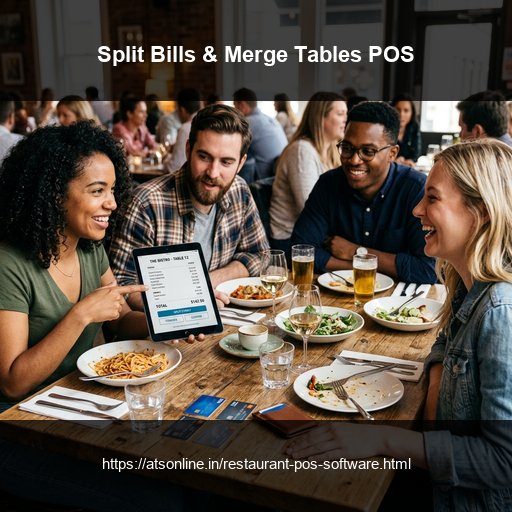
The Real-World Chaos of Large Group Dining and Payment Requests
Every restaurant floor captain knows the tension when a table of eight colleagues finishes dinner and asks: 'Can we split this check four ways, but put the cocktails on this card and the starters evenly across everyone?'
On basic or rigid billing systems, handling this request turns into an operational bottleneck:
- Cashier Terminal Freezes: The cashier has to manually calculate fractional dishes, void items, and create dummy tables, holding up billing lines for 15 minutes.
- Tax and Round-off Errors: Manually calculating split GST and service charges frequently results in penny discrepancies that corrupt end-of-day accounts.
- Table Merge Headaches: When a party of twelve walks in, servers physically push Tables 4, 5, and 6 together. If the software cannot digitally merge the tables into a single unified tab, servers juggle multiple separate checks, resulting in forgotten drinks and uncollected balances.
Seamless Check Splitting Workflows in ATS Restaurant POS
ATS Cloud Restaurant POS features an intuitive drag-and-drop table management engine that solves complex billing requests in seconds:
- Equal Numerical Split: Split any master invoice evenly across 2, 3, 4, or more checks with one tap. The system automatically divides items, applies proportional taxes, and calculates clean round-offs.
- Item-Wise & Seat-Wise Splitting: Drag and drop specific appetizers, entrees, and beverages onto separate check columns. Diners pay only for what they ordered, with separate itemized receipts printed instantly.
- Multi-Tender Payments: A single customer check can be settled across multiple payment methods simultaneously (e.g., ₹2,000 via Corporate Credit Card, ₹1,500 via UPI QR, and ₹500 in Cash).
- Dynamic Table Merging & Transfers: Merge adjoining tables into one master tab with a single gesture. If a couple moves from the outdoor patio to the indoor dining room due to rain, their open tab transfers to Table 12 instantly without reprinting kitchen tickets.
Interactive Visual Floor Plan Management
A graphic floor plan layout gives managers complete situational awareness over the entire restaurant. ATS POS displays custom dining room zones (Main Dining, Mezzanine, Bar Lounge, Patio Garden) with dynamic color-coded table states:
- Green: Vacant & Clean table ready to seat incoming guests.
- Blue: Occupied with active appetizers/mains in kitchen preparation.
- Amber: Bill Printed; table approaching final departure.
- Red: Long-duration table exceeding target turnaround threshold.
Floor hosts can seat walk-in guests with zero confusion, preventing double-seating errors and optimizing room capacity throughout peak hours.
Comparison Matrix
| Billing Scenario | Rigid Legacy Billing Machine | ATS Visual Dine-In POS |
|---|---|---|
| Equal Split Check | Manual calculator work; high risk of tax math error | 1-Tap automated equal split with clean tax distribution |
| Item-Wise Bill Split | Must void original check and re-enter orders | Intuitive drag-and-drop items onto multiple checks |
| Merging Tables for Banquets | Juggling 3 separate tickets; high risk of missed items | 1-Touch merge into a unified party check |
| Moving Seated Guests to New Table | Re-punching orders or messy handwritten notes | Instant digital table transfer without reprinting KOT |
| Multi-Mode Payment Settlement | Limited to one single tender per transaction | Accepts Cash, UPI, Card, and Vouchers on one check |
Frequently Asked Questions
Can ATS POS split a single bill by specific food items?
Yes. You can select specific items or drinks and move them into separate sub-bills, generating individual printed receipts for each guest.
How does table merging work for large walk-in groups?
You simply select the primary table, tap 'Merge Table', and select the adjoining tables. All future orders combine into one unified master tab.
What happens if guests move from the bar to a dining table?
You can transfer their open bar tab to their dining table with one click. The kitchen and cashier registers update immediately.
Can a bill be paid partly with cash and partly with UPI?
Yes. ATS POS supports split-tender payments, allowing a single check to be settled using any combination of Cash, Card, UPI, and Loyalty points.
Ready to Modernize Your Operations?
Transform your business with enterprise-grade restaurant POS solutions from ATS Online. Get real-time cloud control, rapid customer checkouts, automated recipe costing, and 100% operational uptime.
Or call our restaurant tech specialists directly at: +91-9810078010
Conclusion
Handling large dining groups, table shifts, and complex payment splits shouldn't cause cashier panic or delay dining room service. With ATS Online's visual table management and multi-mode check splitting, your floor team handles any seating scenario effortlessly, keeping guests happy and accounting completely watertight.
Upgrade to ATS hospitality POS and automation solutions today. Visit ATS Cloud Restaurant POS, call us at +91-9810078010, or email ats.fnb@gmail.com for live product demonstrations.
Related Reading
- How Cloud Restaurant POS Software Drives Speed, Higher Margins, and Multi-Outlet Scale
- How Direct Swiggy and Zomato POS Integration Eliminates Tablet Chaos and Order Errors
- Smart Inventory and Recipe Costing: How Restaurants Stop Food Waste and Protect Margins
- Kitchen Display Systems (KDS) vs. Paper KOTs: Accelerating Kitchen Turnaround Time