Kitchen Automation: Paperless Order Routing, Cook Timers & Station Coordination
September 29, 2026 in Kitchen Display Systems
The Inherent Pitfalls of Thermal Paper Kitchen Order Tickets (KOT)
For decades, restaurant kitchens have relied on screeching thermal paper printers spitting out greasy paper slips. In a steamy, chaotic kitchen line operating at full capacity, paper tickets quickly become an operational liability:
- Lost and Unreadable Tickets: Paper slips fall behind counters, get soaked in oil or gravy splashes, or blow away in kitchen exhaust drafts, leading to forgotten orders and furious waiting guests.
- Printer Hardware Jams: Thermal printers run out of paper rolls mid-shift, jam cutter blades, or suffer thermal head burnouts during peak dinner rushes, bringing kitchen communication to a dead halt.
- Zero Visibility into Cooking Times: Restaurant managers and floor captains have no objective way of knowing how long Table 4 has been waiting for their main course without physically yelling questions down the cooking line.
How Digital Kitchen Display Systems (KDS) Revolutionize Food Prep
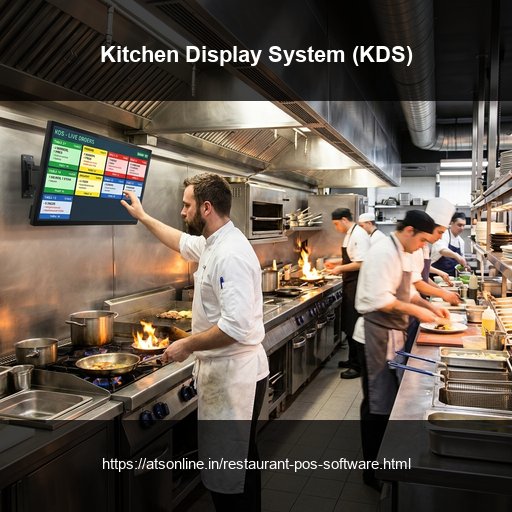
Deploying ATS Kitchen Display System (KDS) transforms chaotic kitchen lines into synchronized, calm culinary production units:
- Station-Specific Intelligent Routing: When a single customer ticket contains appetizers, wood-fired pizzas, cocktails, and desserts, the KDS automatically splits items: pizza items appear exclusively on the pizza chef's screen, while appetizers route to the fryer station.
- Color-Coded Aging Timers: New tickets appear with green borders. As prep times approach threshold limits (e.g., 10 minutes), borders shift to amber, and flash red when tickets exceed target turnaround times, alerting head chefs instantly.
- Item Consolidation Summaries: Instead of line cooks reading six individual tickets, the KDS consolidated summary displays: 'Total Active: 8 Paneer Tikka, 5 Garlic Naan', allowing chefs to batch-cook identical items efficiently.
- Digital Expediter Station: When all line stations mark their respective items ready, the master expediter screen notifies food runners to assemble and deliver the unified order immediately.
Measurable Reductions in Kitchen Turnaround Time (KTT)
Shaving just 3 to 4 minutes off average kitchen turnaround time dramatically increases table turn velocity during crowded dinner shifts. Customers receive appetizers while drinks are fresh, and main courses arrive seamlessly as starter plates are cleared.
Furthermore, eliminating thermal paper rolls and replacement printer cartridges saves thousands of rupees annually in recurring stationery costs while eliminating mountains of non-recyclable chemical paper waste.
Comparison Matrix
| Operational Feature | Traditional Paper KOT Printer | ATS Digital Kitchen Display System (KDS) |
|---|---|---|
| Ticket Durability | Vulnerable to grease, heat, water, and loss | Ruggedized digital screens immune to kitchen grease |
| Order Aging Visibility | Blind; no visual warning for delayed tables | Dynamic color-coded timers (Green, Amber, Flashing Red) |
| Item Batching | Chefs must manually read across multiple paper slips | Instant screen consolidation of active preparation items |
| Station Routing | Prints multiple paper slips or single crowded ticket | Automatic digital item splitting by cooking station |
| Stationery Expenses | Ongoing thermal paper rolls and printer repair bills | Zero paper costs; eco-friendly 100% paperless kitchen |
Frequently Asked Questions
What is a Kitchen Display System (KDS)?
A Kitchen Display System is a digital touch or bump-bar screen mounted in commercial restaurant kitchens that receives, organizes, and tracks customer food orders straight from the POS without paper slips.
Can ATS KDS route different items to different cooking stations?
Yes. ATS KDS automatically routes items to specific stations (e.g., Chinese station, Tandoor station, Bar) based on item category configurations.
What hardware is required to run ATS KDS?
ATS KDS runs on standard touchscreens, commercial all-in-one Android displays, or standard TV screens connected via HDMI with a physical bump bar or mouse controller.
How does KDS notify food runners when an entire table order is ready?
When all cooking stations tap their respective dishes as finished, the Master Expediter screen signals that the complete order is ready for assembly and table delivery.
Ready to Modernize Your Operations?
Transform your business with enterprise-grade restaurant POS solutions from ATS Online. Get real-time cloud control, rapid customer checkouts, automated recipe costing, and 100% operational uptime.
Or call our restaurant tech specialists directly at: +91-9810078010
Conclusion
Transitioning from paper KOT printers to modern Kitchen Display Systems represents a massive upgrade in restaurant kitchen workflow. By providing visual order countdowns, smart item consolidation, and instant expedite routing, ATS Online enables busy kitchens to shave precious minutes off preparation times and deliver consistently hot, fresh meals to happy diners.
Upgrade to ATS hospitality POS and automation solutions today. Visit ATS Cloud Restaurant POS, call us at +91-9810078010, or email ats.fnb@gmail.com for live product demonstrations.
Related Reading
- How Cloud Restaurant POS Software Drives Speed, Higher Margins, and Multi-Outlet Scale
- How Direct Swiggy and Zomato POS Integration Eliminates Tablet Chaos and Order Errors
- Smart Inventory and Recipe Costing: How Restaurants Stop Food Waste and Protect Margins
- Kitchen Display Systems (KDS) vs. Paper KOTs: Accelerating Kitchen Turnaround Time