Frictionless Onboarding: Zero Downtime, Rapid Menu Digitization & Staff Adoption
October 8, 2026 in Deployment & Onboarding
Why Restaurant Owners Hesitate to Switch POS Software
Ask any restaurant general manager what they dread most, and 'switching our POS software' will almost always rank near the top of the list. Owners know their current billing software is clunky, slow, and lacks modern features, yet they remain paralyzed by valid operational anxieties:
- The Nightmare of Downtime: What happens if the new system isn't ready by 12:30 PM lunch service?
- Manual Menu Re-Typing: The prospect of manually typing 350 menu dishes, multi-tier pricing, modifiers, and beverage variants feels like a multi-week ordeal.
- Staff Resistance and Training Curves: Busy waiters and line cashiers who have muscle memory on the old system will resist complex new interfaces.
However, modern cloud onboarding has evolved dramatically. With structured data pipelines and automated ingestion tools, switching to ATS Cloud Restaurant POS can be executed cleanly between closing time tonight and opening doors tomorrow morning.
The 24-Hour Zero-Downtime Migration Blueprint
Here is the exact hour-by-hour migration framework deployed by ATS implementation specialists across thousands of dining outlets:
- Hours 1–4: Bulk Menu Ingestion via Clean Templates: Export your existing menu into our standardized Excel master template. Define item names, short codes, category tax classifications (e.g., 5% GST food vs. 18% liquor), pricing, and preparation stations (Tandoor, Chinese, Bar). Our cloud engine ingests hundreds of items in under 60 seconds.
- Hours 5–8: Hardware Discovery & Peripheral Pairing: Connect receipt printers, KOT kitchen printers, and cash drawers to the local network. Assign IP addresses or plug in USB cables. Test sample print vouchers and adjust paper cutter margins.
- Hours 9–14: Parallel Evening Dry-Run: During an evening shift, run the new ATS POS in 'Training Mode' alongside your old system on a secondary terminal. Test captain order taking, split billing, and modifier selections without altering live accounting.
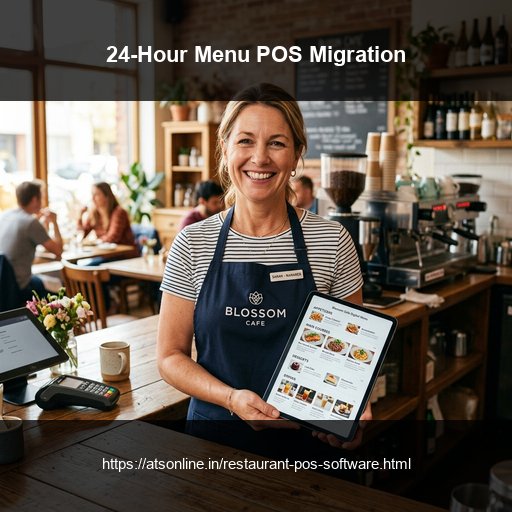
- Hours 15–20: Staff Hands-On Micro-Training: Because the ATS interface uses intuitive visual food tiles and smart search shortcuts, training front-of-house staff takes under 15 minutes per cashier.
- Hours 21–24: Clean Midnight Cutover: Reconcile final cash drawers on the old machine, close out daily business books, and activate ATS as the primary live register for morning opening.
Preserving Historical Data and Vendor Profiles
A smooth migration isn't just about food menus—it's about protecting your business relationships. ATS POS migration wizards import your historic vendor accounts, raw material stock catalogs, customer phone directories, and loyalty points balances.
When regular patrons walk in the day after cutover, their contact profiles, past favorites, and accumulated reward balances appear instantly on the cashier screen, ensuring zero disruption to guest relationships.
Comparison Matrix
| Migration Stage | Legacy POS Vendor Approach | ATS 24-Hour Cloud Blueprint |
|---|---|---|
| Menu Setup | Manual manual typing over 1 to 2 weeks | Instant bulk Excel template import in minutes |
| Downtime Risk | Requires taking registers offline during business | Zero downtime; parallel setup with midnight cutover |
| Staff Training Time | Days of confusing classroom training | 15-minute intuitive hands-on walkthrough |
| Peripheral Setup | Proprietary driver installations | Universal auto-detect for ESC/POS USB & LAN printers |
| Customer Data Transfer | Data locked or lost in old databases | Seamless CSV import of customer phone & loyalty lists |
Frequently Asked Questions
How long does it take to import our entire menu into ATS POS?
With our bulk Excel upload template, menus with 300+ items, categories, and modifier groups import into the cloud database in under 60 seconds.
Can we train our staff without affecting our live daily sales numbers?
Yes. ATS POS includes a dedicated 'Training Mode' that allows cashiers and captains to practice punching orders and printing bills without polluting real accounting ledgers.
What happens to our existing loyalty points and customer balances?
You can export customer lists and loyalty balances from your previous software into a spreadsheet and upload them directly into the ATS CRM database.
Does ATS provide onboarding support during our first live shift?
Yes. Our implementation specialists provide dedicated remote screen-share and live WhatsApp/phone support throughout your launch shift to ensure flawless execution.
Ready to Modernize Your Operations?
Transform your business with enterprise-grade restaurant POS solutions from ATS Online. Get real-time cloud control, rapid customer checkouts, automated recipe costing, and 100% operational uptime.
Or call our restaurant tech specialists directly at: +91-9810078010
Conclusion
The fear of operational downtime and staff confusion shouldn't trap your restaurant in outdated legacy software. By following ATS Online's structured 24-hour onboarding blueprint, you can digitize your menu, train your front-of-house team, and cut over to modern cloud POS billing with complete confidence and zero lost sales.
Upgrade to ATS hospitality POS and automation solutions today. Visit ATS Cloud Restaurant POS, call us at +91-9810078010, or email ats.fnb@gmail.com for live product demonstrations.
Related Reading
- How Cloud Restaurant POS Software Drives Speed, Higher Margins, and Multi-Outlet Scale
- How Direct Swiggy and Zomato POS Integration Eliminates Tablet Chaos and Order Errors
- Smart Inventory and Recipe Costing: How Restaurants Stop Food Waste and Protect Margins
- Kitchen Display Systems (KDS) vs. Paper KOTs: Accelerating Kitchen Turnaround Time